You’ve decided you want to open your gate from your phone. Fine. The next question is how that phone reaches the gate, and most people only ask it after they’ve bought something. It matters more than you’d think. It decides your monthly bill, how far the gate can sit from the house, and whether you’re stuck when the internet drops. This post walks through GSM vs Wi-Fi gate controllers so you can choose once and not regret it.
Short version: it mostly depends on where your gate stands.
Gate Opener Connectivity Options Come Down to Two Roads
Every app and brochure aside, a controller gets online in one of two ways.
One uses a SIM card, the same idea as a mobile phone. The other joins your router, the same way a laptop does. Both let you open the gate, give people access, and see what’s happening. What changes is the route each takes, and that one difference explains nearly everything below.
A GSM Gate Controller Runs on the Cell Network
A GSM gate controller has a SIM card inside it. You reach it by calling, texting, or using an app, depending on the model.
Most owners end up loving the call feature. You ring the number, the controller checks your phone against its approved list, hangs up without answering, and the gate opens. You don’t need an app or data. An old keypad phone works fine, and on most plans the call is free.
A GSM gate opener controller also ignores your home internet completely. It only needs a tower nearby. That’s why installers reach for cellular gate access control on farms, rural driveways, and storage yards where no router is anywhere close.
There are two downsides. You’ll pay for a SIM plan, usually a few dollars a month. And a weak signal at the gate means a weak controller. Before buying, stand at the gate post with your own phone and look at the bars.
A Wi-Fi Gate Controller Rides on Your Router
A Wi-Fi gate controller connects to the internet you already pay for. Everything runs through an app, so you get activity logs, schedules, and a push alert each time the gate moves.
That’s where a mobile-controlled gate opener earns its keep. A courier turns up while you’re at work, so you send a temporary code and cancel it an hour later. You wonder who came in last night, so you open the log. A new family member needs access, and it takes thirty seconds.
If this sounds like your setup, look at a wifi gate opener and see how the app side works. Most people finish installing before their tea goes cold.
Range is the catch. Your router has to reach the gate, or you need an extender, which is one more gadget that can break. When the internet goes down, remote control goes with it. A keypad or handheld remote at the gate still works, so nobody gets locked out.
How GSM vs Wi-Fi Gate Controllers Differ in Daily Use
Forget spec sheets for a minute and look at an ordinary week.
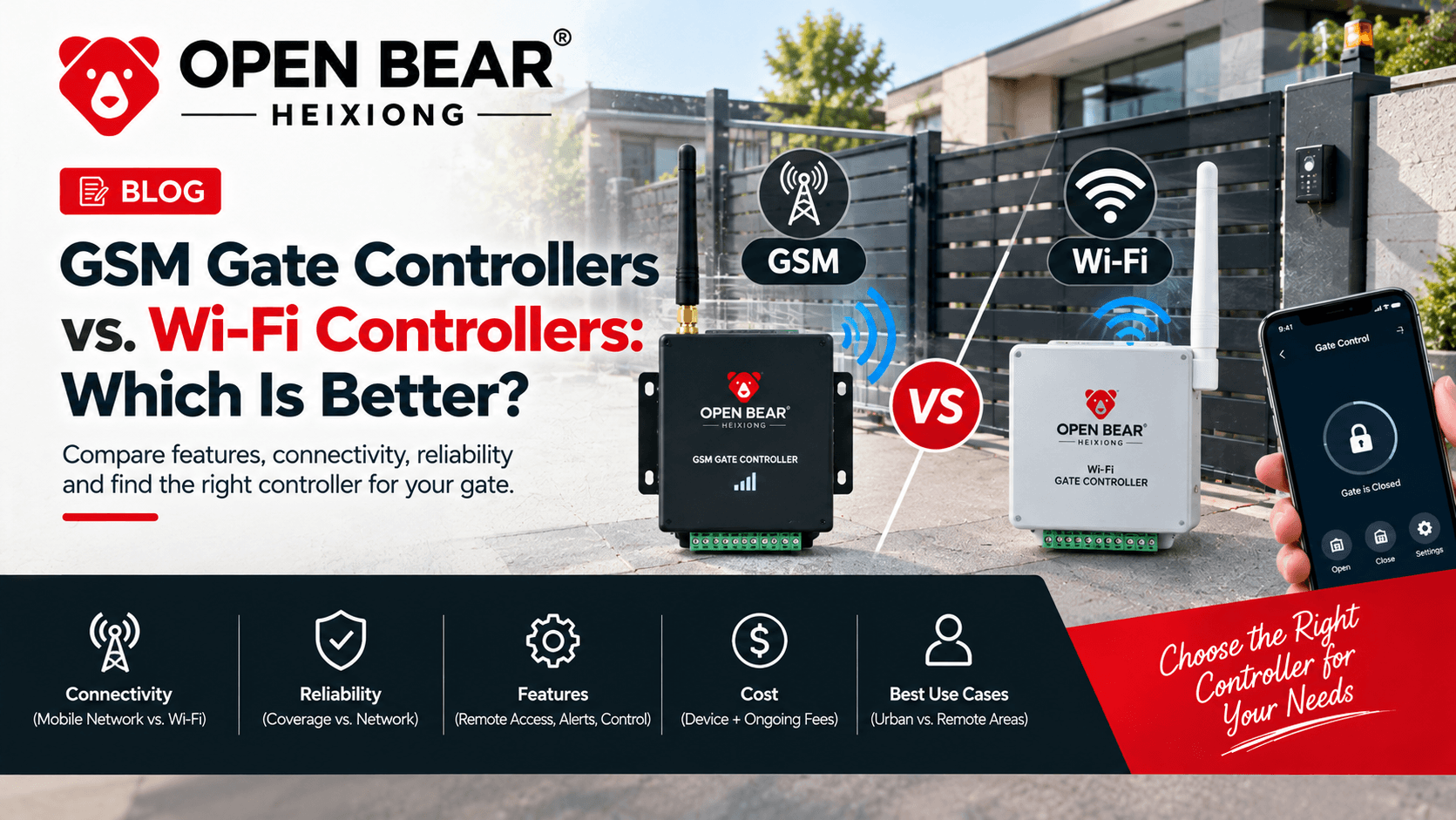
GSM costs a little every month but works almost anywhere. Wi-Fi costs nothing extra but only works where your router reaches. GSM gives you the call trick. Wi-Fi gives you logs, schedules, and alerts. Both are easy to set up, but Wi-Fi turns fiddly when the signal is patchy.
So a GSM vs Wi-Fi gate opener choice is really a swap. GSM gives up some app polish and gets reach and independence. Wi-Fi gives up reach and gets a smarter, smoother app. Once you see it as a swap, deciding gets a lot easier.
When GSM Is the Smarter Pick
Take a farm gate half a mile from the house. A router won’t reach it, and digging a cable trench would cost more than the gate itself. One SIM card and a small solar panel fix the problem.
Holiday cottages, building sites, remote driveways, and equipment yards follow the same pattern. No dependable internet usually means GSM, end of story.
It also suits gates with many users who won’t install anything. If a number is on the list, that person calls and drives through.
When Wi-Fi Is the Smarter Pick
Now take a driveway forty feet from the router. The internet is already there and already paid for. A Wi-Fi controller adds no running cost, and the app shows you who comes and goes.
Landlords, small offices, and busy families lean this way. Scheduled access and instant alerts save more time than you’d expect. Plenty of buyers also pair the controller with an operator that has smart functions built in, so it pays to read up on automatic gate opener features before ordering. That keeps you from buying parts that don’t work together.
Making the Final Call
Run through four checks and you’ll know.
First, test the Wi-Fi at the gate. If it’s strong, Wi-Fi is the easy road. If it’s weak, lean GSM.
Second, think about your users. Some people want an app. Others would rather make a phone call.
Third, decide whether you care about logs and schedules. Wi-Fi usually does more there.
Fourth, check your tolerance for a monthly SIM fee. If it’s zero, Wi-Fi wins on running cost.
Some owners fit both. GSM covers the gaps when the internet drops, and Wi-Fi handles everyday convenience. If you’re buying in bulk or need help matching controllers to operators you already own, a reliable gate distributor can sort it out. For wiring advice and install tips, our blog is a good next stop.
Ready to Pick the Right Controller?
The best controller fits your gate’s location, your users, and your budget. Still unsure? Contact our team with your gate type, its distance from the house, and the signal you get there. We’ll point you to a setup that works from day one, so you can stop walking out in the rain to open the gate by hand.

Frequently Asked Questions
Key engineering and selection answers regarding this topic
A GSM controller connects through a cellular SIM card, while a Wi-Fi controller connects through your router. That changes range, running cost, and what happens when the internet goes out.
Yes. It runs on the cellular network, so it needs a SIM card and a signal but no router or home internet.
Yes, for app control. If the internet drops, the app can’t reach the gate, though local remotes and keypads keep working.
Yes. Depending on the model, you can call the controller’s number, send a text, or use a companion app.
GSM, in most cases, because it only needs a cell signal. Add solar power and it runs where no cable or router could ever go.
Explore Related Automation Systems
Looking for motors, hardware, or installation systems mentioned in this guide? Discover our factory-direct gate opener range:
All Gate Openers
Browse DC24V sliding, swing & barrier operators with full factory warranty.
Explore Products →Residential Gate Operators
Ultra-quiet, solar-ready sliding & swing gate motors for homes and villas.
Residential Solutions →Commercial Gate Systems
Continuous-duty operators for gated communities, business parks & parking.
Commercial Solutions →Industrial Heavy-Duty
High-torque motors engineered for gates up to 4,000 kg and logistics hubs.
Industrial Solutions →