
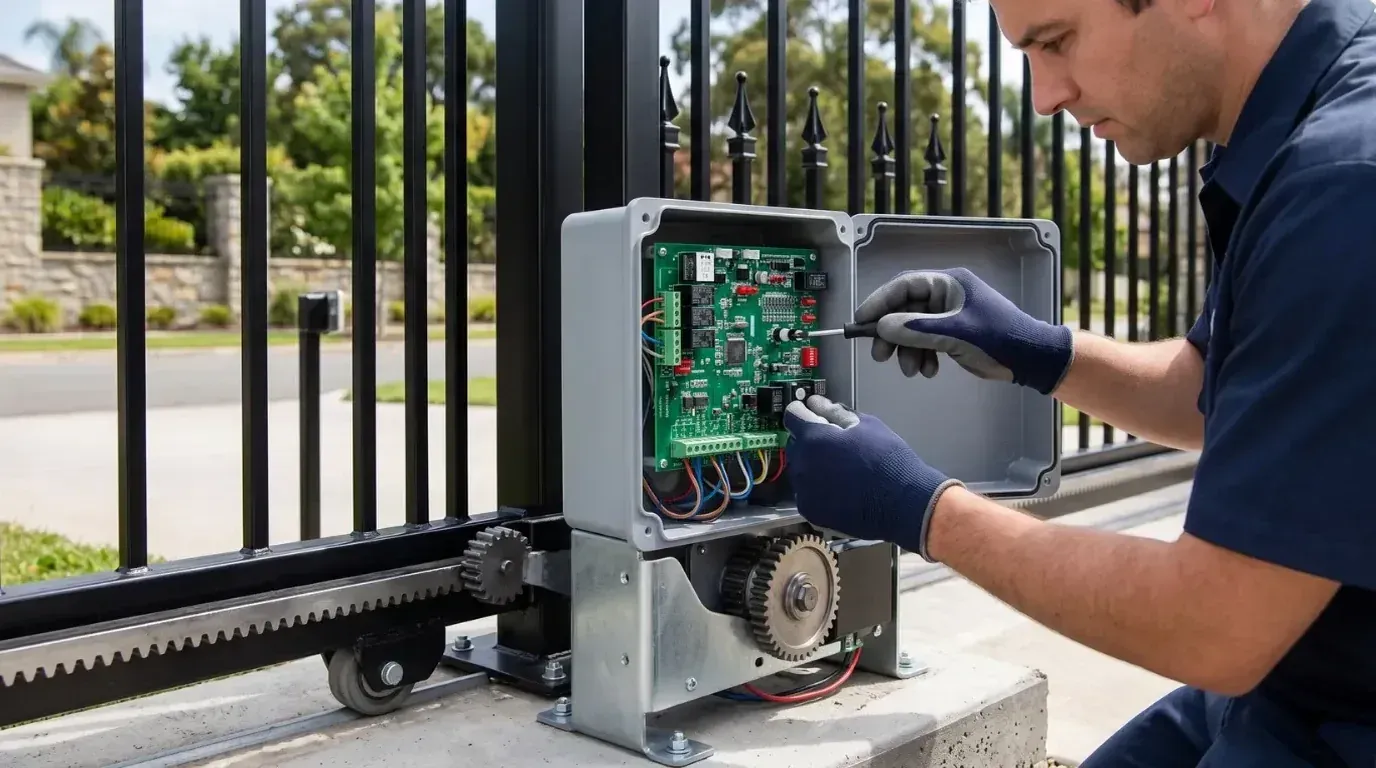
A gate motor humming but not moving is one of the most common calls installers get. When a gate motor makes a noise but the gate stays still, the sound is the best clue you have. A hum means the motor is getting power but cannot turn the load. A click means a relay, a lock, or a switch is operating while the motor is not. A beep is the control board telling you something it has already detected.
This guide explains what each sound points to, in what order to check things, and when the fault needs a professional. Work with the power off whenever you open a housing.
Before You Start
- Switch off power at the isolator before removing any cover.
- Keep people and vehicles clear of the gate in case it suddenly moves.
- Use the manual release before pushing the gate by hand.
- Leave mains wiring and capacitor work to a licensed electrician.
A motor that hums for more than a few seconds can overheat. Do not keep pressing the button to see if it will catch.
What Each Sound Tells You
Sound | What is happening | Most likely area |
|---|---|---|
Steady hum, no movement | Motor is energized but stalled | Mechanical jam, low voltage, or a failed capacitor on AC motors |
Hum that stops after a few seconds | Board detects overload and cuts power | Obstruction, drag, or an undersized motor |
Single click, then silence | A relay or lock operates, the motor does not start | Power supply, board output, or motor winding |
Repeated rapid clicking | Relay chatter from low voltage | Flat backup battery or weak supply |
Beeping | Board alarm or warning | Battery, mains failure, safety device, or an error code |
Grinding rather than humming | Motor is turning, drive is slipping | Gear, rack, or gearbox wear |
Gate Motor Humming but Not Moving
A hum is the sound of a motor under load that cannot rotate. A gate motor humming but not moving almost always has a mechanical or power cause, so start with the simplest ones.
Something Is Blocking the Gate
Ice in a track, a stone under a wheel, a padlock left on, a fallen branch, or a vehicle against the gate will all stall the motor.
Check: switch off, release the gate, and push it by hand through its full travel. If it will not move freely, you have found the problem. Clear the blockage and check the wheels, rollers, hinges, and track.
The Gate Has Become Too Stiff
This is the slow version of the same fault, and the most common reason for gate opener humming on a system that used to work fine.
Worn wheels, dry hinges, a bent track, or a sagging leaf create drag that builds slowly. The motor manages for months, then stalls on a cold morning when the grease is thick.
Check: with the gate released, feel for tight spots at particular points in the travel. Service the moving parts before blaming the opener.
Low Voltage or a Weak Battery
A DC opener on a failing backup battery has enough power to energize the motor but not enough to move the gate. The same happens with voltage drop on a long, undersized supply cable.
Gate opener humming that only happens on cold mornings or after a power cut usually points here.
Check: measure the supply voltage at the board and test the battery under load. Look for corroded battery terminals.
A Failed Capacitor on AC Motors
AC motors use a start capacitor. When it fails, the motor hums and will not start turning. This is one of the most common causes of a gate motor not moving on older AC systems.
Check: this is electrician work. Capacitors can hold a charge even with the power off. Do not test or replace one yourself unless you are qualified.
A Seized Gearbox
If the gate moves freely by hand on manual release but the motor still hums with the drive engaged, the gearbox or motor bearings may be seized.
Check: look for leaked grease, rust, or a shaft that will not turn by hand. A seized gearbox is usually a replacement job. Our guide to automatic gate opener parts explains what sits where in the drive.
Gate Motor Clicking but Not Moving
Gate motor clicking comes from something switching, not from the motor itself.
Single Click With No Movement
A relay on the board pulls in, but the motor never starts. This points to a power problem at the motor, a failed relay contact, a blown motor fuse, or an open motor winding.
Check: confirm the supply voltage. Check fuses. If the board clicks each time you press the remote, the board is receiving the command, so the fault sits after that point.
Rapid Clicking or Chattering
This is almost always low voltage. The relay pulls in, the voltage sags, the relay drops out, and the cycle repeats several times a second.
Check: test the backup battery first, then the supply. Replace batteries that are more than three or four years old.
Clicking From an Electric Lock
On gates fitted with an electric lock, the lock solenoid clicks as it tries to release. If the lock is jammed or misaligned, the board may hold the gate still because the lock never reports as clear.
Check: look at the lock while someone triggers the gate. Our guide to electric gate locks covers alignment and adjustment.
Gate Opener Beeping but Not Moving
Beeping is a deliberate warning. The board has detected something and is telling you about it.
Common reasons for a gate opener beeping include:
- Mains failure. Many boards beep while running on backup battery.
- Low battery. A slower, repeating beep often means the backup battery needs replacing.
- Safety device fault. A blocked or misaligned photocell or a damaged safety edge can trigger an alert and stop the gate moving.
- Programming mode. Boards beep while learning remotes or limits and will not run normally until the mode ends.
- Error codes. Some boards beep a number of times to identify a specific fault.
Check: count the beeps and note the pattern, then look up that pattern in your manual. Check the safety device indicators at the same time, as these are the most common cause. Our guide to gate safety sensors explains how photocells and edges report to the board.
The Order to Check Things
Step | Action | What it tells you |
|---|---|---|
1 | Note the exact sound and when it happens | Points to mechanical, electrical, or board |
2 | Switch off power and release the gate | Separates a stiff gate from a motor fault |
3 | Push the gate by hand through full travel | Confirms a mechanical jam or drag |
4 | Look for ice, debris, padlocks, and obstructions | Clears the quickest causes |
5 | Check error LEDs and count beep patterns | Points to safety devices or a coded fault |
6 | Test backup battery and supply voltage | Explains humming and chattering |
7 | Inspect the gear, rack, and gearbox | Finds slipping and seizing |
8 | Call an electrician for capacitor or winding tests | Keeps AC motor work safe |
Note what changes at each step. Half the diagnosis is knowing which causes you have already ruled out.
Sounds You Should Not Ignore
Stop using the gate and call an installer if you hear or notice any of these:
- A burning smell or visible scorch marks
- A loud bang followed by silence
- A hum that continues after you release the button
- Water inside the housing
- Repeated tripping of the breaker
These point to electrical faults that get worse with every attempt.
Preventing the Next Stall
Most cases of a gate motor not moving come from a stiff gate rather than a failed motor. A gate that rolls or swings freely by hand puts far less strain on the drive, so the motor never reaches the point where it stalls and hums.
Keep to a simple routine. Clean the track and rack, check wheels and hinges, test safety devices, and replace backup batteries before they fail. Our maintenance schedule sets out what to check and how often. For faults where nothing happens at all, see our guide on why an automatic gate won't open or close.
Every opener from Gate Opener Factory runs on 24V DC, which avoids the start capacitor faults common on AC motors, and each kit ships with English manuals and wiring diagrams that list the board indicators. If the sound at your gate does not match anything above, contact our team with your model and a description of the noise.

Frequently Asked Questions
Key engineering and selection answers regarding this topic
A: The motor has power but cannot turn the load. Common causes are a blocked or stiff gate, a flat backup battery, low supply voltage, a failed start capacitor on AC motors, or a seized gearbox.
A: No. A stalled motor draws high current and heats quickly, which can damage the windings. Stop, switch off the power, and find out why the gate is not moving before trying again.
A: Usually mains failure, a low backup battery, a safety device fault, or programming mode. Some boards beep a set number of times as an error code. Count the beeps and check the pattern in your manual.
A: Rapid clicking is relay chatter caused by low voltage. The relay pulls in, the voltage drops, and it releases again. Test the backup battery first, then the incoming supply and its cable.
A: Yes. Ice in the track, frozen hinges, and thickened grease all add load, while cold weather cuts battery capacity. Keep the track clear in winter and replace weak batteries before the first freeze.
Explore Related Automation Systems
Looking for motors, hardware, or installation systems mentioned in this guide? Discover our factory-direct gate opener range:
All Gate Openers
Browse DC24V sliding, swing & barrier operators with full factory warranty.
Explore Products →Residential Gate Operators
Ultra-quiet, solar-ready sliding & swing gate motors for homes and villas.
Residential Solutions →Commercial Gate Systems
Continuous-duty operators for gated communities, business parks & parking.
Commercial Solutions →Industrial Heavy-Duty
High-torque motors engineered for gates up to 4,000 kg and logistics hubs.
Industrial Solutions →