
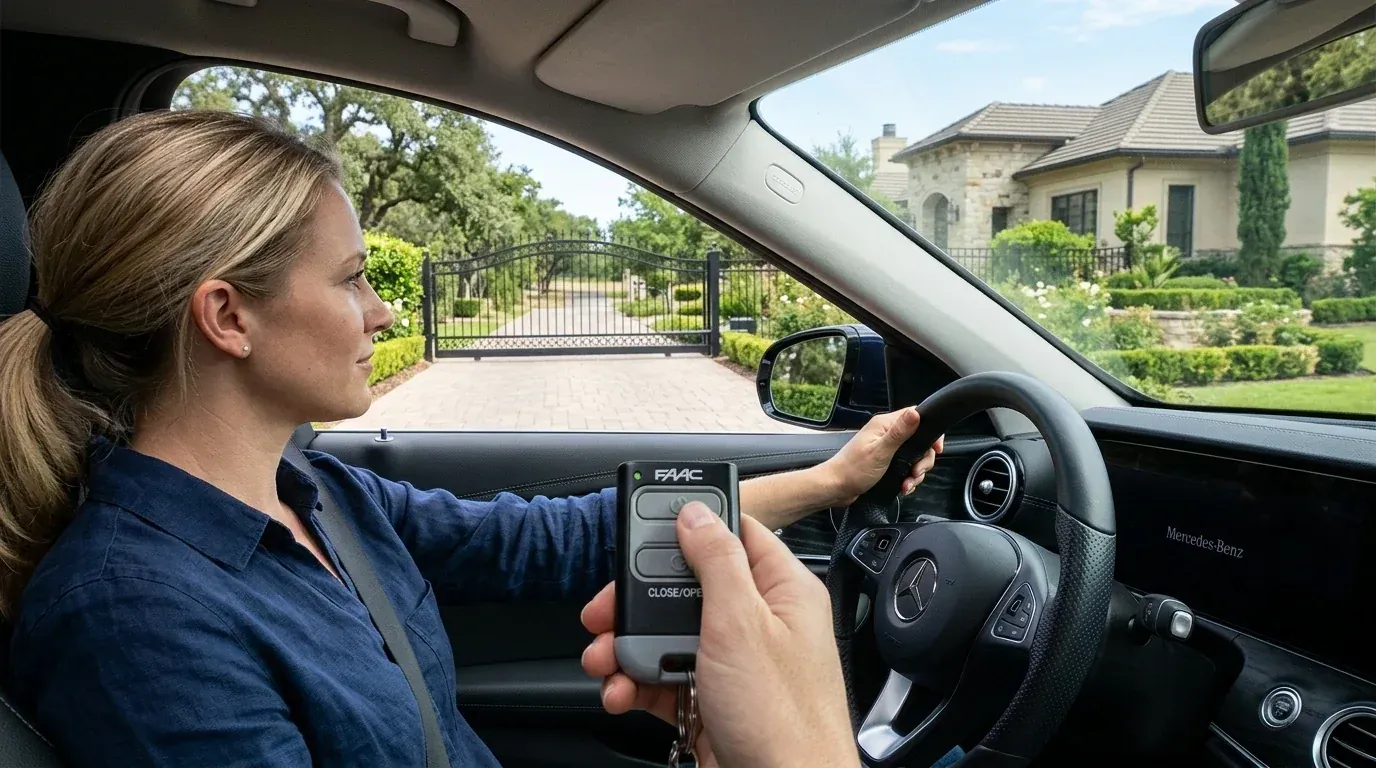
A gate remote not working from a distance is one of the most common complaints owners have about an automatic gate. If you have to roll up to the gate and press the button twice before anything happens, the opener is usually fine. The radio link between your remote and the receiver is what has weakened. Range loss is gradual, which is why most people only notice it once they are almost touching the gate.
This guide explains what controls range, the common reasons it drops, and the order to work through them. Most cases come down to a battery, an antenna, or something metal in the way.
How Far Should a Gate Remote Work?
A gate remote is a low-power radio transmitter. The receiver in the opener listens on one frequency and only acts on a signal it recognizes.
Gate remote range is quoted in open air, with nothing blocking the path. Real driveways are different. Walls, steel gates, parked cars, wet trees, and sloped ground all cut the distance. A system that worked at the end of the drive in summer may struggle in winter when the hedge is wet and heavy.
Two points are worth knowing before you start:
- Range almost never drops to zero at once. It shrinks over weeks or months.
- The transmitter and the receiver both matter. A new remote will not fix a receiver problem.
Start With a Baseline Test
Before changing anything, find out what the current range actually is.
- Stand outside the car, in clear line of sight to the opener.
- Press the remote and walk backward until the gate stops responding.
- Note the distance.
- Repeat from inside the car, in your usual spot.
If the range is much shorter from inside the car, the car is part of the problem. Heated or metallic window film blocks radio signals well. Holding the remote out of the window, or up against the windshield, often adds distance right away.
If range is short everywhere, work through the causes below.
Seven Causes of Poor Range
1. A Weak Battery
This is the most common reason for a gate remote not working from a distance. A battery does not fail all at once. As voltage drops, the transmitter sends a weaker signal, so the LED still lights while the range keeps shrinking.
Fix: replace the battery, even if the LED looks normal. Most gate remotes use a coin cell such as a CR2032 or a small 12V battery such as an A23. Match the type printed on the old battery. Replacing remote batteries once a year keeps this from creeping back.
2. Antenna Problems
The gate remote antenna on the receiver side does most of the work. It is usually a single wire, or a short whip, connected to a terminal on the control board.
A poor gate remote antenna setup causes more range complaints than any other single item. Common faults:
- The wire is coiled up inside the control box
- The wire has been cut short during installation
- The terminal connection is loose or corroded
- The antenna sits low, behind the steel gate frame
Fix: open the control box with the power off and check the antenna terminal. Uncoil the wire and run it upward, outside the box, as straight and as vertical as the manual allows. Do not cut it to length. If the housing is metal, the antenna must sit outside it.
An external antenna on a short mast, mounted above the gate frame and facing the approach road, is the single biggest upgrade for a long driveway.
3. Metal and Site Layout
Radio signals pass through wood, plastic, and glass far better than through metal and concrete.
A receiver mounted low behind a solid steel gate is shielded from the road. A control box inside a masonry pillar is worse. Even a parked van between you and the gate can cut range noticeably.
Fix: move the antenna rather than the whole opener. Run the antenna cable up to a bracket above the gate, on the approach side. Keep it clear of the gate leaf so it does not move with the gate. Keep at least a hand's width between the antenna and any large metal surface.
4. Interference
Nearby electronics transmit noise on the same band, which drowns out a weak signal. Common sources include:
- LED floodlights and cheap LED drivers
- Solar charge controllers and inverters
- Phone chargers and outdoor Bluetooth speakers
- Alarm systems, weather stations, and other remotes
- Neighboring gate or garage systems
Fix: test by switching things off. Turn off the LED lights near the gate and test the range again. Unplug a suspect charger or inverter and repeat. Interference often follows a pattern, so note whether the problem is worse at night when lights are on. Moving the antenna a meter away from the noisy device is often enough.
5. A Damaged or Worn Remote
Remotes live in pockets, cars, and toolboxes. Over time, the case cracks, the battery contacts corrode, and moisture gets in.
Fix: open the remote and look at the board. Green or white deposits on the contacts mean corrosion. Clean the contacts with a cotton swab and isopropyl alcohol, or replace the remote. Test a second remote if you have one. If one remote reaches the gate from the road and another only works up close, the second remote is the problem.
6. Receiver Faults and Weak Power
Less often, the fault sits in the receiver. Voltage drop on a long supply cable, a failing receiver module, or water inside the housing all reduce sensitivity.
Fix: look for moisture, insect nests, and corrosion inside the control box. Check the supply voltage at the board. If every remote gives short range even with a fresh antenna, a replacement receiver module may be needed. Our guide to automatic gate opener parts explains how the receiver sits in the system.
7. Frequency and Compatibility Mismatch
A replacement remote bought online may be close to the right model but not exact. Slight frequency differences can leave you with a remote that pairs at arm's length and fails further out.
Fix: check the frequency printed on the remote, the receiver, or in the manual. Many openers sold internationally use 433.92 MHz, while many North American brands use the 300 to 390 MHz range. Buy the manufacturer's own remote when you can.
Work Through It in This Order
Changing several things at once makes it hard to know what worked. Most remote control range problems clear in the first few steps, so follow the sequence.
Step | Action | Time | Cost |
|---|---|---|---|
1 | Replace the remote battery | 2 minutes | Low |
2 | Test outside the car and from different angles | 5 minutes | None |
3 | Check and uncoil the receiver antenna | 15 minutes | None |
4 | Move the antenna higher and clear of metal | 30 minutes | Low |
5 | Switch off nearby LED lights and chargers to test | 15 minutes | None |
6 | Test a second remote | 5 minutes | None |
7 | Fit an external antenna kit | 1 hour | Medium |
8 | Replace the receiver module or remote | 1 hour | Medium |
Most remote control range problems are solved by steps 1 to 4. If you reach step 8 with a gate opener remote not working any better, the receiver is the likely fault.
When Range Is Not the Real Problem
Some faults look like range loss but are not.
- The gate responds only sometimes, at any distance. This points to a pairing or receiver fault, not range. A gate opener remote not working at every distance is a different problem.
- A second remote behaves the same way in every spot. Again, that is a receiver or pairing issue rather than range.
- Nothing works, even up close. Check power, the fuse, and the manual release. Our guide on why an automatic gate won't open or close covers these cases.
- The gate starts and stops partway. That is a mechanical or safety-device issue, not a radio one.
Alternatives Worth Adding
If your driveway is long or the gate is heavily shielded, extra control methods help more than chasing radio range.
- Keypad at the gate for visitors and deliveries
- Phone app over WiFi, which uses your network instead of the remote's radio
- Loop detector so the gate opens automatically for vehicles leaving
- Intercom for guest entry
Our gate access control guide compares these options. You can also see smart control modules, sensors, and remotes in our gate accessories range.
Keeping Range Reliable
Replace remote batteries yearly. Keep the antenna straight, vertical, and clear of metal, since gate remote range depends on it more than on the remote itself. Check the control box for moisture at each service. When you add outdoor lighting or solar equipment near the gate, test the remote afterward so you catch interference early.
Every opener from Gate Opener Factory ships with English manuals and wiring diagrams that show the antenna terminal and receiver layout. If your range problem does not clear after the steps above, contact our team with your model and a description of the site, and we will help you work out the cause.

Frequently Asked Questions
Key engineering and selection answers regarding this topic
A: The usual causes are a weak battery, a coiled or damaged receiver antenna, or metal shielding the receiver. Replace the battery first, then check that the antenna runs straight, vertical, and outside the control box.
A: Yes. Metallic or heated window film reflects radio signals. If the remote works better outside the car, hold it near an open window or the windshield, or add a keypad or app control for daily use.
A: Only if the old remote is faulty. If a second remote shows the same short range, the problem is on the receiver side, usually the antenna, its position, or interference from nearby electronics.
A: It can. Heavy rain, wet foliage, and snow on the antenna all absorb signal. Damp inside the control box also reduces sensitivity. Range that drops only in wet weather points to moisture in the housing.
A: As high as the cable and manual allow, above the gate frame and clear of large metal surfaces, with the wire vertical. Mounting it on a bracket facing the approach road usually gives the best result.
Explore Related Automation Systems
Looking for motors, hardware, or installation systems mentioned in this guide? Discover our factory-direct gate opener range:
All Gate Openers
Browse DC24V sliding, swing & barrier operators with full factory warranty.
Explore Products →Residential Gate Operators
Ultra-quiet, solar-ready sliding & swing gate motors for homes and villas.
Residential Solutions →Commercial Gate Systems
Continuous-duty operators for gated communities, business parks & parking.
Commercial Solutions →Industrial Heavy-Duty
High-torque motors engineered for gates up to 4,000 kg and logistics hubs.
Industrial Solutions →